
Rentals
Search to rented, in 60 seconds.
One page, not four. A renter picks a unit, fills in one form, and the lease is signed. Fewer clicks, more completed rentals. Your facility management software still sets the rules.
One page, not four
The renter picks a unit and finishes on the same page. No account, no phone call.
Your rules, mirrored
Pricing, availability and lease terms come from your facility management software and stay there.
In every plan
One-page rentals are included from Lite up, not an add-on.
A rental spread across pages
- A renter clicks through four pages to finish one rental.
- Every extra step is somewhere else to drop out.
- Prices and availability drift from what your software says.
- Nobody can tell you where the rental was lost.
One page, your rules
- Unit, details, payment and lease on one page.
- Pricing and availability read live from your software.
- Every rental action is logged, so you can see where it went.
- Thirty seconds from search to rented.
How it works
Four steps, one page.
- 01
The renter picks a unit
Inventory, rates and availability come straight from your facility management software.
- 02
They fill in one page
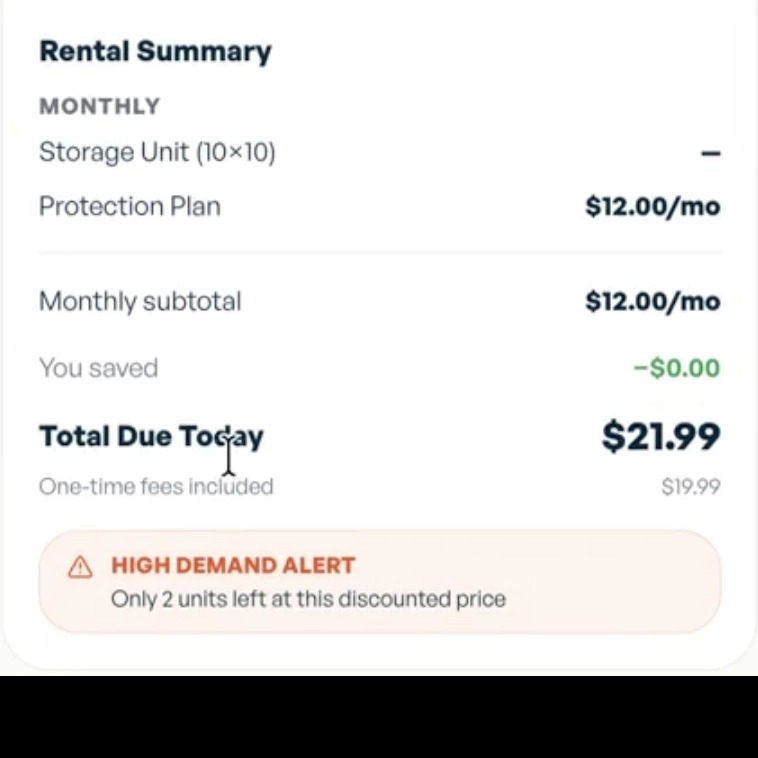
Tenant details, move-in, protection, add-ons, payment. Which sections appear depends on your settings and what your software accepts.
- 03
We hand it to your system
Your software creates the lease and takes the payment. We are not the payment processor.
- 04
It comes back with a status
Every rental action is recorded. Retries carry an idempotency key, so a slow response never creates a second lease.
Two ways to run it
Native, or connect your own.
Native
We run the unit grid and the checkout. The revenue features at your tier are available to you.
Connect your own
We run the website, and your facility software or a third-party provider runs the unit grid and the checkout. Some rental features are only available if your system supports them. Nearby Units is not available this way.
Unit size finder
Find the right size in a tap.
Renters tap a home size or add their items, and the finder recommends one real, in-stock unit at that location, draws it to scale, and filters the unit list to what actually fits. No photos, no phone call.
Reads live inventory
It names a real, in-stock unit at that location with today's price, not a generic size chart.
Draws it to scale
A to-scale floor plan shows the renter's items packed into the recommended unit.
Filters the unit list
It narrows the units on the page to the sizes that fit and jumps the renter to the match.
Capabilities
More revenue per rental, with the checks behind it.
Reservations
Hold a unit for a renter who is not ready to sign today.
Checked on our side too
We validate the rental before it reaches your software, so a bad entry does not become a bad lease.
Featured units
Put the units you want moved in front of renters first.
Value-based pricing
Price the same square footage differently by floor, access or demand.
Abandoned rental recovery
A renter who leaves halfway gets a nudge to come back and finish.
Recurring service upsells
Add protection and services to the rental and bill them with it.
Also included
E-signature: Leases can be signed through Tenant Connect, a third-party tool quoted separately.
Dominate adds: Checkout A/B testing, advanced checkout requirements, nearby unit availability, and a premium confirmation page.
See one-page rentals on your own inventory.
Book a demo and we will run a live rental through your setup.